Site.pro Site.pro
  • AI Website BuilderAI Website Builder
    • AI Website BuilderAI Website Builder
    • Online StoresOnline Stores
    • PricesPrices
    • CollaborationCollaboration
    • Website ImportWebsite Import
    • PluginsPlugins
    • Website BuilderWebsite Builder
    • TemplatesTemplates
    • For Design StudiosFor Design Studios
    • Useful LinksUseful Links
    • Affiliate ProgramAffiliate Program
    • We Build for YouWe Build for You
    • ExamplesExamples
    • LanguagesLanguages
  • DomainsDomains
    • Register Domain NameRegister Domain Name
    • Migrate DomainsMigrate Domains
    • For Domain InvestorsFor Domain Investors
    • Domain ZonesDomain Zones
    • DomainityDomainity
    • FAQ: DomainsFAQ: Domains
    • Popular Domain ZonesPopular Domain Zones
    • .com.com
    • .org.org
    • .net.net
    • .us.us
    • .co.co
  • EmailEmail
    • Free EmailFree Email
    • Email for BusinessEmail for Business
    • PricesPrices
    • Transfer EmailsTransfer Emails
    • Custom Domain EmailCustom Domain Email
    • FAQ: EmailFAQ: Email
    • Popular FAQsPopular FAQs
    • Email SetupEmail Setup
    • Auto ReplyAuto Reply
    • Auto ForwardingAuto Forwarding
    • Spam ProtectionSpam Protection
  • Accounting SoftwareAccounting Software
    • Accounting SoftwareAccounting Software
    • ModulesModules
    • PricesPrices
    • Integrations, APIIntegrations, API
    • Accounting Companies (389)Accounting Companies (389)
    • Software Integrators (52)Software Integrators (52)
    • Affiliate PartnersAffiliate Partners
    • Useful LinksUseful Links
    • Business TypesBusiness Types
    • Use CasesUse Cases
    • Accounting CompaniesAccounting Companies
    • Sole ProprietorSole Proprietor
    • InvoicingInvoicing
    • FarmerFarmer
    • E-commerceE-commerce
  • For ResellersFor Resellers
    • White LabelWhite Label
    • Revenue ShareRevenue Share
    • PricesPrices
    • PanelsPanels
    • How it WorksHow it Works
    • Marketing MaterialsMarketing Materials
    • Mass ImportMass Import
    • Our PartnersOur Partners
    • Reselling ExamplesReselling Examples
    • DocumentationDocumentation
    • Free WebsitesFree Websites
  • LearnLearn
    • Knowledge BaseKnowledge Base
    • BlogBlog
    • Growth HackingGrowth Hacking
    • For HostingsFor Hostings
    • For EducationFor Education
    • Website Сreation TutorialWebsite Сreation Tutorial
    • Teaching Institutions (69)Teaching Institutions (69)
    • Accounting Courses WorldwideAccounting Courses Worldwide
  • AI Website BuilderAI Website Builder
    • AI Website BuilderAI Website BuilderAI creates websites for you
    • Online StoresOnline StoresBuild online stores
    • PricesPricesAdvanced Features
    • CollaborationCollaborationCo-create websites live
    • Website ImportWebsite ImportImport Any Website
    • PluginsPluginsBuilder plugin and functions
    • Website BuilderWebsite BuilderKey Features
    • TemplatesTemplates200+ Awesome Templates
    • For Design StudiosFor Design StudiosBenefits for Design Studios
    • Useful LinksUseful Links
    • Affiliate ProgramAffiliate Program
    • We Build for YouWe Build for You
    • ExamplesExamples
    • LanguagesLanguages
  • DomainsDomains
    • Register Domain NameRegister Domain NameDomain registration, parking, transfer
    • Migrate DomainsMigrate DomainsTransfer. Connect. Renew
    • For Domain InvestorsFor Domain InvestorsDiscount on all domains
    • Domain ZonesDomain ZonesBuy New Domain Name
    • DomainityDomainityDomain usage by country
    • FAQ: DomainsFAQ: DomainsFind Answer
    • Popular Domain ZonesPopular Domain Zones
    • .com.com
    • .org.org
    • .net.net
    • .us.us
    • .co.co
  • EmailEmail
    • Free EmailFree EmailCreate email
    • Email for BusinessEmail for BusinessAdvanced features & protection
    • PricesPricesCheap email hosting
    • Transfer EmailsTransfer EmailsMigrate your mailboxes
    • Custom Domain EmailCustom Domain EmailEmail address with your domain
    • FAQ: EmailFAQ: EmailFind Answer
    • Popular FAQsPopular FAQs
    • Email SetupEmail Setup
    • Auto ReplyAuto Reply
    • Auto ForwardingAuto Forwarding
    • Spam ProtectionSpam Protection
  • Accounting SoftwareAccounting Software
    • Accounting SoftwareAccounting SoftwareCloud based ERP
    • ModulesModulesMain accounting software modules
    • PricesPrices30 days free trial
    • Integrations, APIIntegrations, APIIntegration with external systems
    • Accounting Companies (389)Accounting Companies (389)Choose your partner for accounting
    • Software Integrators (52)Software Integrators (52)Pick your integrations partner
    • Affiliate PartnersAffiliate PartnersPartners and Affiliate program
    • Useful LinksUseful LinksCalculators and Calendars
    • Business TypesBusiness TypesUse Cases
    • Use CasesUse Cases
    • Accounting CompaniesAccounting Companies
    • Sole ProprietorSole Proprietor
    • InvoicingInvoicing
    • FarmerFarmer
    • E-commerceE-commerce
  • For ResellersWhite LabelFor ResellersWhite Label
    • White LabelWhite LabelCustomise Builder
    • Revenue ShareRevenue ShareEarn 50% from each upgrade
    • PricesPricesRevenue Share. White Label
    • PanelsPanelsOne product for all platforms
    • How it WorksHow it WorksCloud or On-Premises
    • Marketing MaterialsMarketing MaterialsVideo. Mockups. Blocks
    • Mass ImportMass Import
    • Our PartnersOur Partners
    • Reselling ExamplesReselling Examples
    • DocumentationDocumentation
    • Free WebsitesFree Websites
  • LearnLearn
    • Knowledge BaseKnowledge BaseFAQ, Tutorial, Video
    • BlogBlogSite.pro Blog
    • Growth HackingGrowth HackingBoost your sales
    • For HostingsFor HostingsTips on marketing
    • For EducationFor EducationTraining. Tutorials
    • Website Сreation TutorialWebsite Сreation Tutorial
    • Teaching Institutions (69)Teaching Institutions (69)
    • Accounting Courses WorldwideAccounting Courses Worldwide
  • RegisterRegister
    Site.pro

    Create Your Account

    Get started — free and easy!

    Register

    By proceeding, you accept our Terms of Service and Privacy Policy
  • Log inLog in
    Site.pro

    Welcome back!

    Access your work space

    Log in

    New user? Create account
    Forgot password?
  • $
    $
  • EnglishEnglish
  • Hosting Tips (75)
  • Shared Hosting (20)
  • Web Design (19)
  • Marketing (8)
  • Education (8)
  • eCommerce (7)
  • Cloud Accounting (2)

Table of Contents:

Category
Search

Table of Contents:

Building with AI: Vibe-Coding vs AI Website Builders

Building with AI: Vibe-Coding vs AI Website Builders

Artificial intelligence is reshaping the user experience of digital products, but not all “AI-powered” tools operate in the same way.

When someone’s talking about creating websites with AI, they usually mean either vibe-coding tools and AI website builders. Although both are marketed with promises such as “create a website with AI”, their approaches are suited for different types of users.

Let’s look at what vibe-coding is, how it is different from AI website builders, and which tool is better for which case.

What is Vibe-Coding?

We talked a bit about the recent history of vibe-coding in the article dedicated to vibe-coding programs for hosting providers. Vibe-coding originated earlier than true AI website builders with AI-heavy interface and possibility to edit components without manual input.

Vibe-coding refers to a new generation of AI development tools that generate, edit and deploy code through conversational prompts. Instead of manually editing files or writing code themselves, users give AI tasks that describe the desired end-product. The result is an impressive, but often unpredictable coding experience. It has spread with mainstream LLM adoption in 2022–2023. However, the term itself did not take off until February 2, 2025, when Andrej Karpathy popularized “vibe coding” in a viral X (ex-Twitter) post.

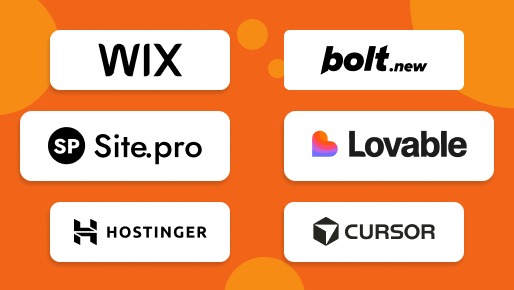
ChatGPT, Claude, CoPilot and other general use LLMs can be used for vibe coding, but there also are dedicated tools. Popular ones include Bolt.new, Lovable and Cursor.

What are AI Website Builders?

Technically, AI website builders emerged back in 2016 with Wix ADI, but the true AI with chat control was only introduced mid to late 2025, after vibe-coding became a trend.

AI website builders are designed to create and edit websites using a combination of AI-generated starting points and conventional interfaces. They maintain a familiar workflow similar to traditional website builders: drag-and-drop editing, manual layout control, and possibility to make adjustments without AI.

They are aimed at business owners, marketers, agencies, and non-technical users who need reliable and easy to navigate web design tools. Popular examples of AI website builders include Wix, Hostinger, and Site.pro.

Site.pro, for instance, can be piloted entirely through AI chat with text and voice commands.

Why AI Website Builders Are Not Vibe-Coding

Although both categories are promoted with similar marketing phrases, their mechanisms and purpose are very different. They both “Create websites with AI”, but they do it for different audiences and by different means.

Vibe-coding tools act as coding environments first and foremost. AI is the primary interface, but it doesn’t make website creation codeless for end-users who are looking for a quick way to build a website without coding. Vibe coding — still ”coding". To change a picture, usually it regenerates the whole website, which takes a huge amount of tokens at the end, wasting electricity and water.

AI website builders, by contrast, are lighter and less resource-hungry. They require 20-50 times less tokens, and allow users to worry less about the ecological impact. Also, AI website builders usually don’t target strong developers as their primary audience and provide real codeless solution.

Editing does not require re-prompting the model for every change, and the system does not rewrite the entire structure when the user adjusts one small detail. Because AI in website builders doesn’t write code from scratch and instead uses components that already exist in the system, the process is overall faster.

Workflow Differences

The gap becomes clearer when comparing everyday tasks. Let’s compare editing flows in Lovable, the casual user-friendly tool, with Site.pro.

We’ll give both programs the same prompt and see how they can handle it. It will be a typical query from a local small business owner that needs a website:

Create a website for my bakery “Lovely bakery”. We make custom cakes for birthdays, weddings, and other occasions. I need a website with light pastel colours. It should include a catalog of cakes with pricing, a contact form with a name, telephone number and email address, and an about us section with a map

Then, we'll try to edit the website in each program.

Lovable

Lovable is positioned as a vibe-coding tool for non-technical creators. It produces clean, visually appealing UI-driven apps with little prompting. However, manual editing for most functions is only available via code, and this function is only for paid plans. There is a coding mode, and a visual mode with AI chat.

Editing modes in LovableEditing modes in Lovable

It has a similar interface to most website builders with a website preview. The main difference between Lovable and AI website builders is the folder with code that can be accessed directly in the program.

Editing in LovableWe tried to manually upload a picture and change a contact form

In Lovable, mostly every adjustment—text, layout, logic or styling—must be performed either by AI, or directly through code. Each request consumes credits, meaning more refinement leads to higher costs. Even small changes require processing time while the AI “thinks”. For example, to change the colour of a button, users have to firstly select a colour, and then save it, only then AI changes the properties of a component. Changes aren't saves automatically, and take time.

Changing button colour in lovableThe process of changing the button colour in Lovable

Visual editor is present, but every change is processed with AI, leading to even text changes not being instant.

Changing text in lovableThe process of changing text in Lovable

The editing in a vibe-coding performed with AI chatbot. Drag-and-drop features aren't present — users can't move objects by clicking and dragging them. Because every change is routed through the model, the user becomes more of a director than an editor. This comes with a set of pros and cons.

Pros

  • Speed of large structural changes. One prompt can reorganise layouts, rework page flows or restyle an entire interface;
  • Reduction of the cognitive load. Instead of remembering syntax or navigating a complex interface, the user describes their ideas naturally, no technical language needed.

Cons

  • Small changes are slow. Swapping a heading, adjusting spacing or an element requires AI processing time every time;
  • Costs accumulate quickly — every modification uses credits;
  • Non technical users cannot correct all the elements without coding or AI prompts;
  • No CTRL-Z functionality. You can't revert the changes instantly — you have to upload one of the previous versions of the website, which takes a bit of time.

This creates a workflow in which precision is traded for convenience, and the user is dependent on the AI’s interpretation, especially if they only work inside a vibe-coding editor withour a developer.

Site.pro

Site.pro's visual website editor retains full manual control while providing AI-focused interface for more complex actions. If the user wants to change a heading, resize a section or adjust spacing, they can do so immediately. AI is an option, but it’s not mandatory for every change. Therefore, users are able to do instant edits, and have to wait much less. They can change small details without wasting credits.

While AI is doing its work, users can still edit their websites.

Site.pro AI website builderSite.pro AI website builder

Let's look at how to add a new field in the contact form. It can be done with AI, or manually.

Adding a new fill in the contact formAdding a new fill in the contact form in Site.pro

To change properties of a button or delete something — you only have to press one button. Both actions can be instantly reverted by pressing either CTRL-Z or the "go back" arrow in the top menu.

How to revert changes in Site.proHow to revert changes in Site.pro

Pros

  • Speed. Users (multiple people can work on the website together) can adjust headings, reposition elements or refine spacing the same time without waiting for any AI processing;
  • Everything is predictable. Users see what will happen as they make changes;
  • Faster generation — AI works with components that are in the website builder’s library.

Cons

  • Lower skill-expression. AI website builders are casual tools for mostly casual users. Implementing complex layouts purely with AI will prove to be difficult;
  • Dependence on platform library. AI only works with components it has access to.

AI is an assistant and a helper. It's purpose is to make the website management easier for users — not harder. The set up is easy, you can learn it in a minute without having to navigate coding or a complicated interface.

Comparison Table

Vibe-Coding Program AI Website Builder
Control Only AI and programming AI and manual control
Speed Slow micro changes Fast micro changes
Result Flexible — creates apps and websites Only for websites
Skill expression Suited for developers Suited for casual users
AI cost High Low

Conclusion

For developers

Vibe coding offers speed and exploration potential. It is good for prototyping, building internal tools and accelerating complex coding tasks. However, it can feel restrictive when you need fine control over small details without invoking AI.

For business owners

AI website builders are generally the better fit. They provide stable, editable interfaces, predictable layouts and the ability to adjust content instantly. AI acts as a helper, not the gatekeeper for every modification.

For resellers and agencies

Website builders offer more consistent result for end-users and web designers. Vibe-coding may unlock fast development, but its code-centric editing model makes them unsuitable for projects requiring long-term maintenance from casual users — they will basically need to learn coding themselves.

How to Hire a Web Designer: Rundown on WeWe, Fiverr and Upwork hiring
Building a Successful eCommerce Website that will Meet Customer Expectations
© Site.pro 2011. Website Builder. United States.
Contact SalesContact SalesTerms of ServiceTerms of ServicePrivacy PolicyPrivacy PolicyCookie SettingsCookie Settings